Set up Grommetbook in Claude, with pictures
Published · Updated
Adding Grommetbook to Claude takes about five minutes, and the free Claude plan works. You paste one address into Claude, sign in with a link we email you, then ask Claude to set up your price book and quote a job. Here is every step, with pictures of the Grommetbook screens you'll see.
Set up in Claude, step by step (about 5 minutes)
The pictures are Grommetbook's own screens, from our demo shop "Northside Signs", captured 13 November 2026. We don't show Claude's screens; Anthropic's custom connector guide has pictures of those.
- Copy the Grommetbook address. It's
https://grommetbook.smallwright.com/mcp.
- Add it in Claude (the free plan works). Open Customize → Connectors, choose + Add → Add custom connector, name it Grommetbook, paste the address and click Connect.
- Claude opens this Grommetbook page. Enter your email and choose Email me a sign-in link. No password, no card.
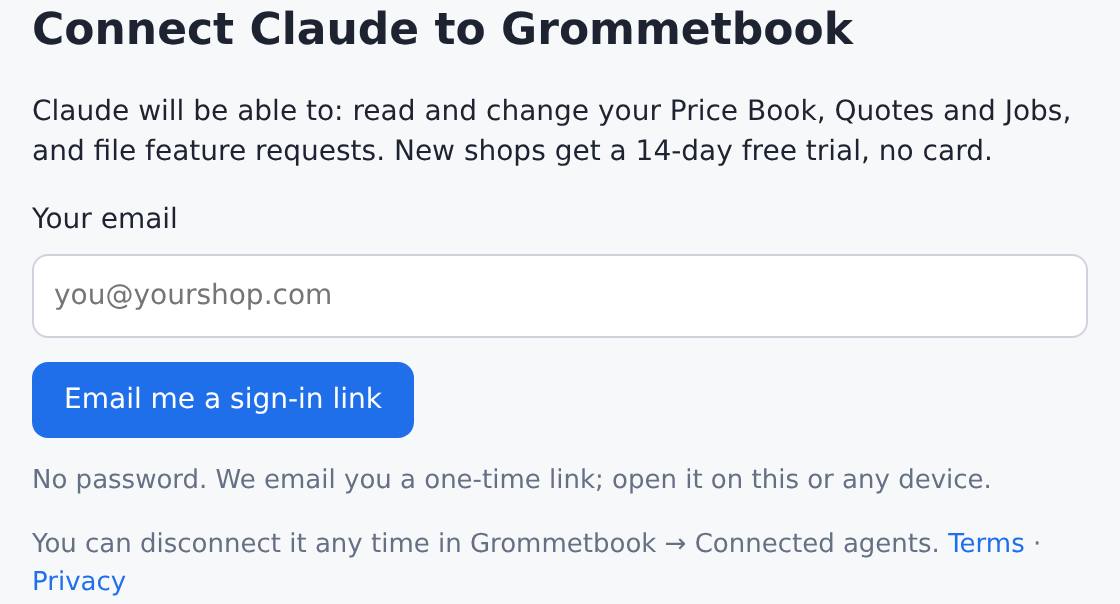
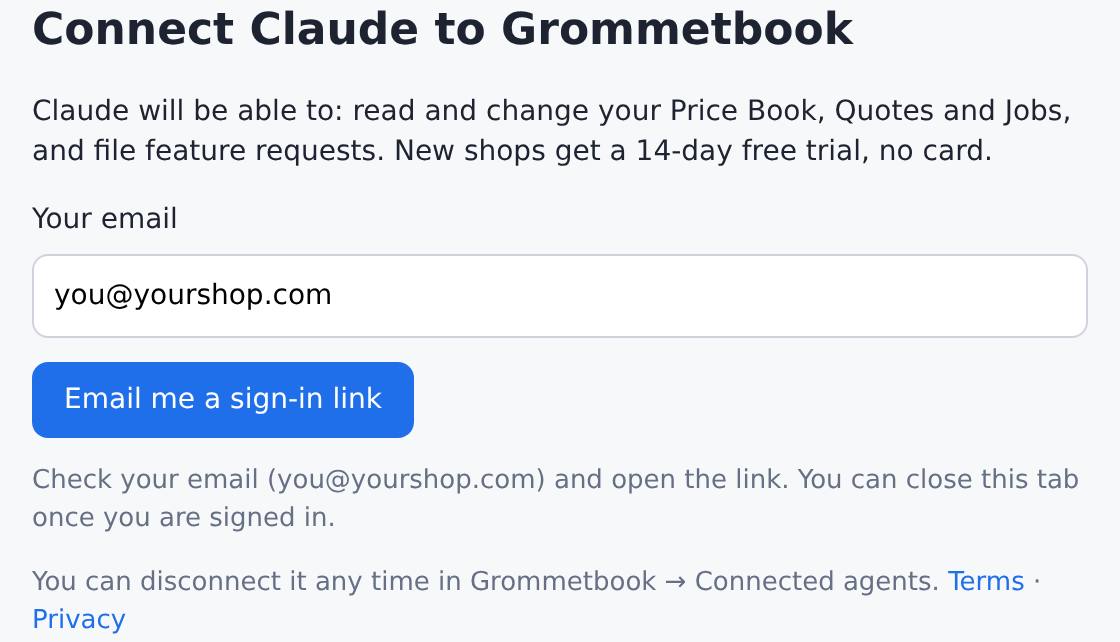
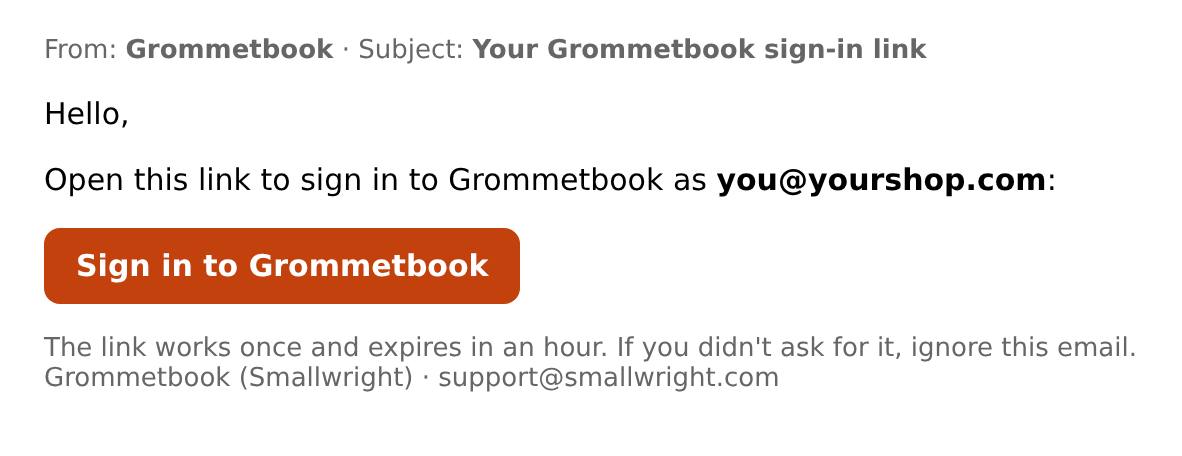
- Open the email and tap Sign in to Grommetbook. You're back in Claude, connected.
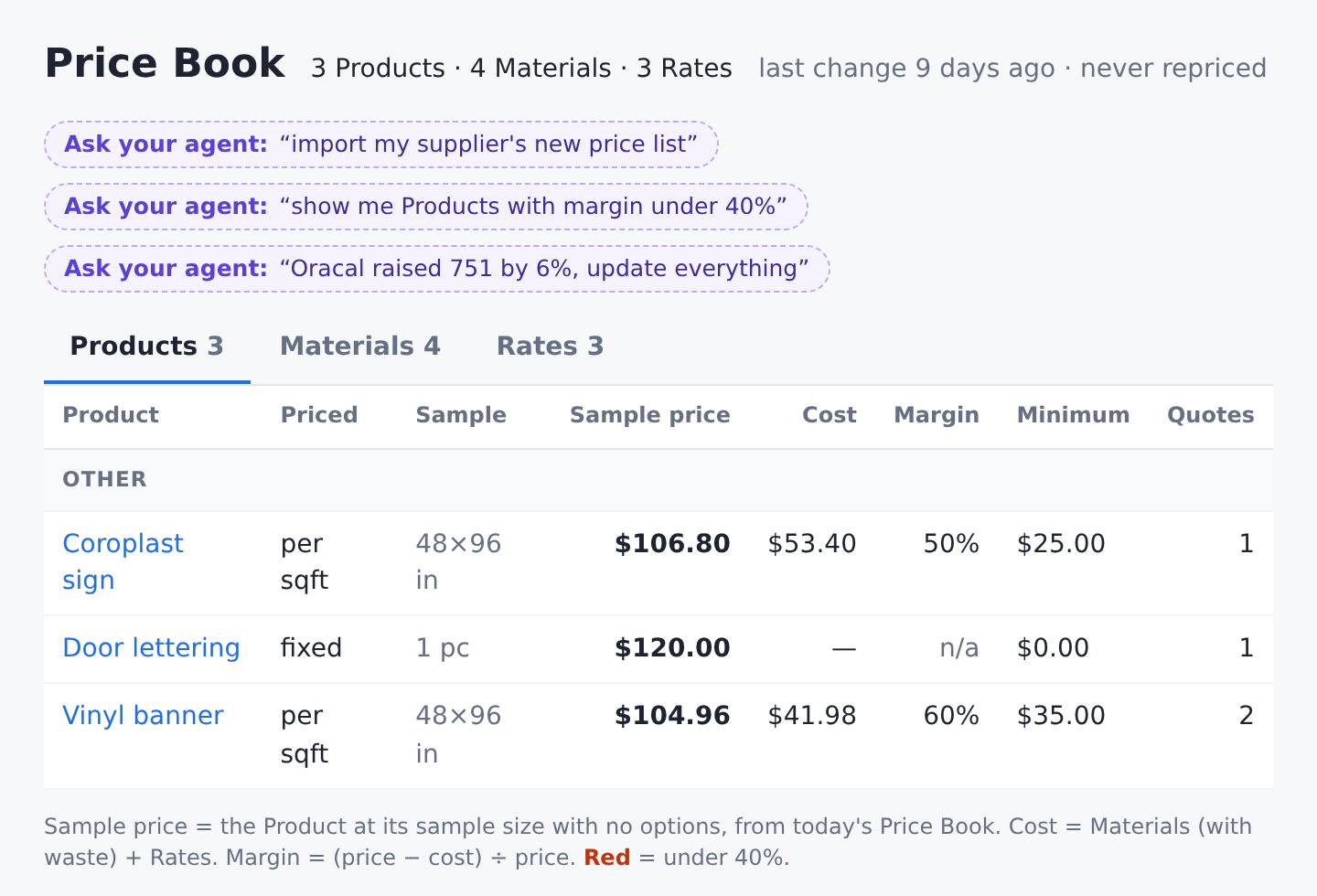
- Set up your price book. In a chat, switch Grommetbook on in the tools menu and say: "Here's my pricing spreadsheet. Set up my price book." Claude shows what it will create and saves when you say yes. Your price book then looks like this in your Grommetbook viewer, with cost and margin on every product:
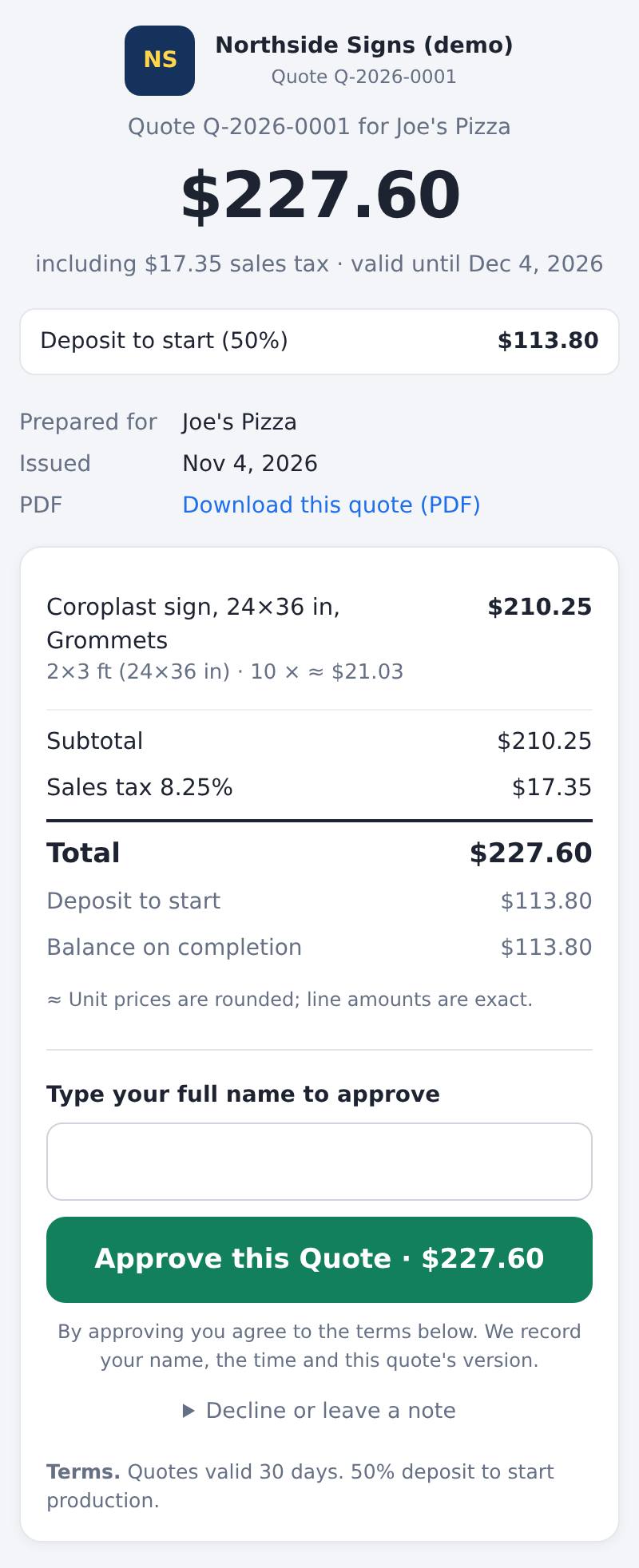
- Send your first quote. Say: "Quote Joe's Pizza ten 24×36 coroplast signs with grommets." Claude gives you a link to send, and your customer sees this on their phone and approves it online:
Copy the address and start free: 14 days unlimited, then up to 5 quotes a month free, no card
Questions
- Does the free Claude plan work?
- Yes. Claude Free accounts can add one custom connector (Anthropic's help article, checked 13 November 2026).
- Do I need a card for the trial?
- No. Signing in starts a 14-day free trial with no card. After that it's $49 a month per shop.
- What if a step doesn't match what I see?
- Claude moves its menus from time to time. Use Anthropic's custom connector guide, or email support@smallwright.com and Braden will help within 1 business day.